A couple of weeks ago, I stumbled across Photomator and realized that Pixelmator had recently been acquired by Apple.
That was enough to get my attention. The first photo editor I ever used seriously was Aperture, and I have been waiting for Apple to remember that it once made a genuinely good pro photo app. Photomator looked like the thing I had wanted for years: a modern, Apple-native Lightroom replacement that did not require a separate photo universe just to edit RAW files.
The app switch was the easy part. The real work was confronting the library I wanted it to use.
Leaving Adobe Behind
Earlier in 2024, I abandoned Photoshop for a one-time purchase of Affinity Designer. That left Adobe reduced to Lightroom with 1TB of cloud storage: a joyless subscription for one app and one storage bucket.
I had been passively looking for a Lightroom replacement for a while. There were plenty of worthy competitors, but most either did not have cloud storage or did not have a reasonable cloud storage option for an active catalog. I did not want to solve the editing problem by creating another storage problem. I already had enough of those, thanks.
Photomator seemed different because it relied on Apple Photos and my existing iCloud storage plan. It was not asking me to move the archive into yet another proprietary cloud. It was asking whether Apple Photos could become the front door to the active library, with Photomator handling the serious edits.
Why Photomator Felt Different
I signed up for the free trial, which was 7 days before converting to $29.99/yr. I expected to bounce off it quickly. Instead, I found a powerful photo editor with a much more modern feel than Lightroom, and with some UI lifted directly from Apple Photos in a way that felt practical rather than lazy.
There was also the obvious Apple question. Would they turn Photomator into the new Aperture, or would they pull a Dark Sky and slowly dissolve the good parts into a simpler built-in app? I came across this video by Joseph Slinker, and his argument put me somewhat at ease: Photomator could become the “Pro” version of Apple Photos, the way Logic sits above GarageBand and Final Cut Pro sits above iMovie.
Who knows. Apple is Apple. But deep down, yes, I still want Photomator to be Apple’s new Aperture.
The iCloud Problem
Then I looked at my iCloud storage.
My family plan is 2TB, shared across the family, though I am clearly the problem user in this arrangement. It was nearly full, which meant the entire Photomator idea had a practical ceiling before it even started.
The next morning, the real issue snapped into focus: Apple Photos held over 90,000 photos and thousands of videos.
The question was not whether Photomator could replace Lightroom. The question was whether I needed immediate access to all of this.
That became the hinge of the whole project. I had spent years treating the archive as something that should always be nearby. But “nearby” had gradually turned into “bloated, expensive, and annoying to maintain.” There is a difference between owning an archive and carrying all of it in your active library forever.
What if I took the same approach I had taken to my Lightroom catalog years before and culled 90,000+ images and videos down to just the best? Daunting, yes. Also useful. Culling is not just cleanup. It is taste maintenance.
Backing Up Before Deleting
The selection process was not the hardest part. The backup was.
Before I deleted anything, I created a series of smart filters in Apple Photos that let me work through large sets by camera type, which often aligned with chronological periods in my life: iPhone eras, Sony eras, older camera eras. It was not perfect, but it gave the archive enough structure to become workable.
For larger sets, usually 6k–10k assets at a time, Apple Photos would take hours to export everything. Often it would finish with a short list of “errors” for files it could not export. Those had to be handled one by one: find the filename, manually export the asset, confirm it landed.
That part was not romantic. That part was sitting there while a computer made me prove that I really meant to own my own files.
The destination was the same place I use for RAW storage: my Synology NAS, which syncs nightly to Google Cloud Platform’s Archive-class Cloud Storage. By the end, I had backed up around 1TB of images and videos, adding less than $2/month to my storage bill.
That is the kind of friction I can live with: not subscription drag, not a second active catalog, just a boring backup path where the old library can go cold without vanishing.
Culling the Active Library
Once the backups were done, I went back through the smart filters and started choosing keepers.
The process was simple: add a ❤️ to anything that belonged in the active library, let the smart filter remove that keeper from the current view, then delete what remained. Look closely, decide, move on. No elaborate taxonomy. No pretending every burst frame was sacred because storage had been cheap once.
By the end, I had removed almost 80,000 images and videos from Apple Photos and freed up almost 1TB of iCloud space. That included the roughly 6,100 RAW files I had brought over from Lightroom.
This mattered more than the app switch. It gave the system headroom, made Apple Photos feel usable again, and gave iCloud more “extra room” than I had on the 1TB Adobe plan. It changed the active library from a museum basement into a working surface.
Everything still exists on the NAS and in Archive-class cloud storage. But not everything gets to live in my pocket forever.
The Edit-History Problem
In the middle of all this, I hit the problem that almost stopped the move entirely: Photomator could not read Lightroom sidecar files. Every edit I had made on more than 6,000 photos would effectively be lost.
I wrote to Photomator support about it, and they replied quickly. Their explanation was straightforward: editing sidecar data is app-specific. Different photo editors may all be manipulating exposure, contrast, color, masks, and geometry, but they do it with different engines and assumptions. The data is not interchangeable just because the words in the interface are similar.
I do not know why I had not fully internalized this before. Of course Lightroom edits would not magically become Photomator edits. The RAW file was portable. My decisions were not.
Culling 90,000 photos felt daunting but possible. Re-editing 6,000 photos felt absurd. Then, because apparently this is what we do now, I slept on it and woke up convinced that it was not only a burden.
It was also an opportunity.
Some of those edits were years old. My taste has changed. My eye has changed. The tools have changed. Revisiting the images I still love with my current eyes started to feel less like losing history and more like permission to stop preserving every old decision as if it were sacred.
Where the Workflow Landed
So I canceled Adobe. I paid a cancellation fee, which I was not happy about, and which only further convinced me that Adobe had lost its way for the kind of use I actually had left for it.
At this point in 2025, I am using Photomator 100%. It costs roughly one-quarter of the Adobe plan, uses the iCloud storage already underneath my family setup, and lets me maintain an active library of “just the best” instead of pretending that every file deserves immediate access forever.
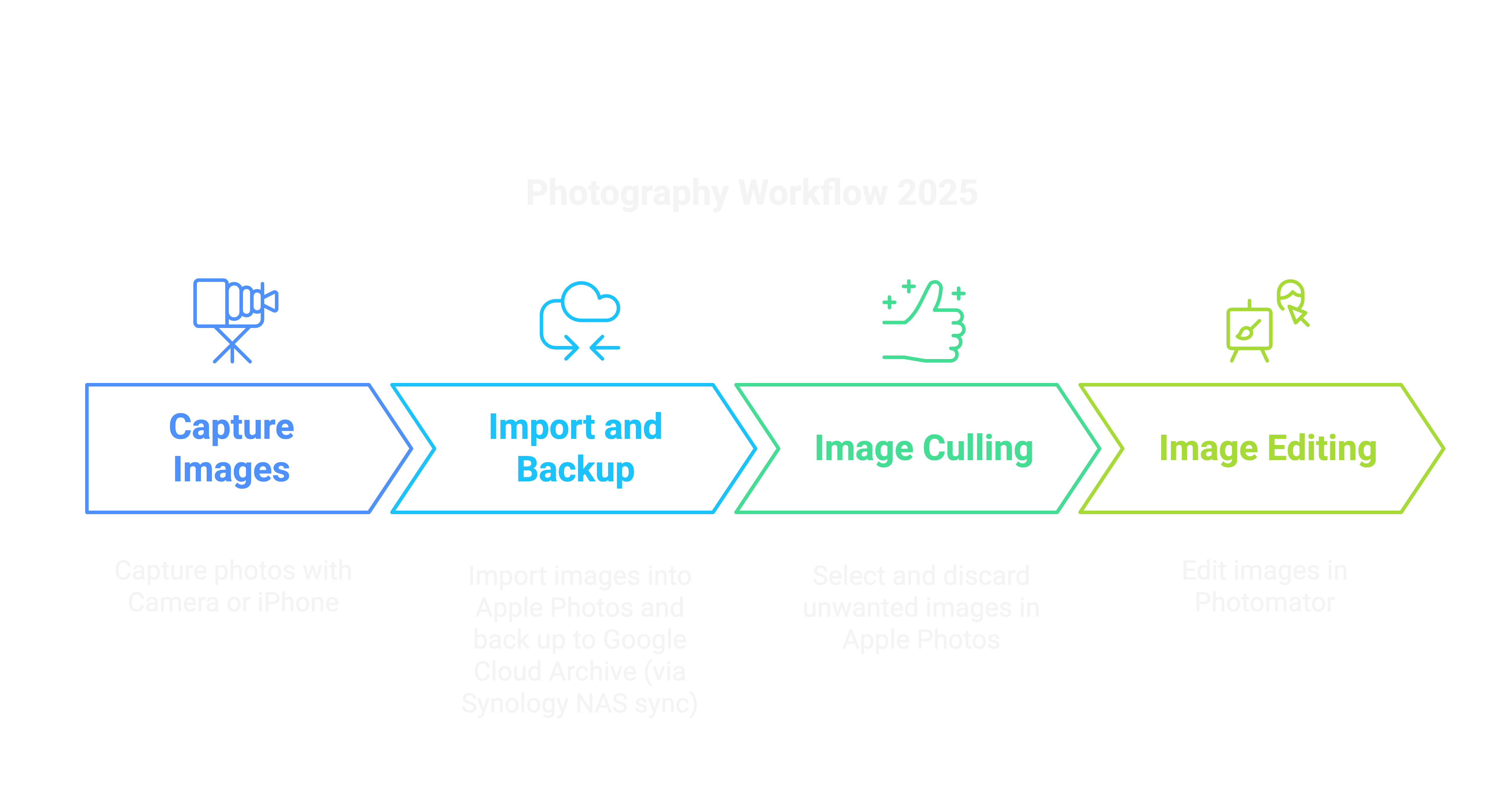
The workflow now has a shape I can explain without a diagram. Sony RAWs and iPhone RAWs follow the same path: back up to the NAS and GCP, cull in Apple Photos, keep the active library small, edit the selected images in Photomator.
It reminds me a little of what film did for me. Film slowed me down because every frame had a cost. This is not the same thing, obviously. Digital still lets me make too many pictures. But the workflow creates a useful checkpoint after the fact. It makes me look again and decide what is worth keeping close.
The next step is to develop a series of LUTs for Photomator while I continue to covet the Leica Q3 43, because apparently there always has to be one expensive camera-shaped thought hovering nearby.
This is the 2025 snapshot: a cleaner, cheaper, more Apple-native workflow that got me out of Adobe and forced the library reset I had been avoiding. It is not final truth. These posts never are. Workflows are versioned records of what made sense at the time, and for this moment, Photomator made a lot of sense.